· df · 3 min read
Ansible as a Hybrid CI/CD Platform
Summary
Traditional CI/CD tools like GitHub Actions, GitLab CI/CD, and Azure DevOps (ADO) offer powerful pipeline features, but they often tightly couple your automation logic to their platforms. This creates a problem when switching tools or scaling across teams.
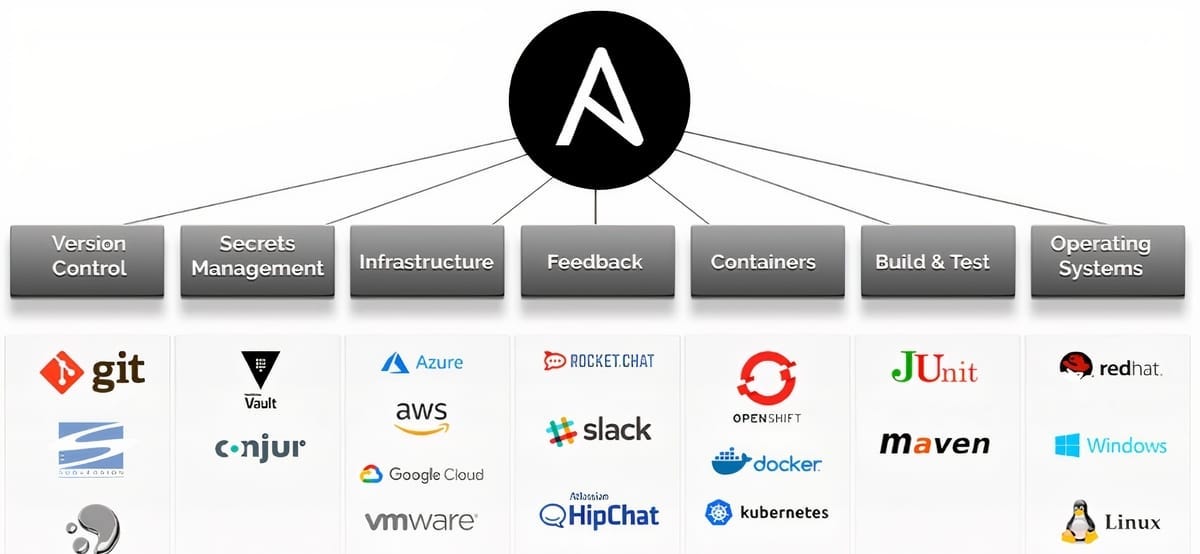
By using Ansible as the central workflow engine—and treating GitHub, GitLab, or ADO as lightweight orchestrators—you can build a modular, portable CI/CD system. This hybrid approach enables tool-agnostic pipelines and promotes reuse across projects and platforms.
Why Use Ansible in CI/CD?
- Portability: Move your pipeline between GitHub, GitLab, or ADO without rewriting core logic.
- Modularity: Write Ansible playbooks for each stage (build, test, deploy) and reuse them across environments.
- Maintainability: Keep your workflow logic in version-controlled, testable, and readable YAML files.
- Tool Independence: Avoid vendor lock-in by abstracting workflow logic into a standalone orchestration tool.
Hybrid Architecture Overview
The hybrid CI/CD model uses GitHub/GitLab/ADO for pipeline triggers, secrets management, and runners. The actual deployment and orchestration logic is handled by Ansible. This creates a clean separation of responsibilities.
Typical Workflow
- CI tool checks out the repository
- Authenticates using stored secrets (tokens, SSH keys, etc.)
- Executes Ansible Playbook 1 (e.g., build stage)
- Executes Ansible Playbook 2 (e.g., deploy stage)
- Optional: Runs native CI/CD steps like artifact uploads, test reports, etc.
Example: GitHub Actions with Ansible
Below is an example of a GitHub Actions workflow calling Ansible playbooks.
name: Deploy App

on:
  push:
    branches:
      - main

jobs:
  deploy:
    runs-on: ubuntu-latest

    steps:
      - name: Checkout Code
        uses: actions/checkout@v3

      - name: Setup SSH for Ansible
        run: |
          echo "${{ secrets.SSH_PRIVATE_KEY }}" > ~/.ssh/id_rsa
          chmod 600 ~/.ssh/id_rsa

      - name: Run Ansible Playbook - Build
        run: |
          ansible-playbook ci/playbook_build.yml -i inventory

      - name: Run Ansible Playbook - Deploy
        run: |
          ansible-playbook ci/playbook_deploy.yml -i inventory
You can replicate the same flow in GitLab CI/CD or Azure Pipelines by replacing the YAML syntax but still calling the same Ansible playbooks.
Suggested Folder Structure
.
├── .github/
│   └── workflows/
│       └── deploy.yml
├── ci/
│   ├── playbook_build.yml
│   ├── playbook_test.yml
│   ├── playbook_deploy.yml
│   └── inventory
└── src/
    └── ...
Secrets and Security
Store sensitive credentials (like SSH keys, cloud tokens, API keys) in your CI platform's secrets manager. Inject them at runtime and use Ansible vaults or environment variables as needed.
Local Testing Advantage
A key benefit of using Ansible is the ability to test playbooks locally before pushing code. This enables faster iteration and easier debugging.
ansible-playbook ci/playbook_build.yml -i ci/inventoryCombining Native CI Features with Ansible
This hybrid model doesn't exclude native CI/CD capabilities. You can still:
- Run linters, unit tests, or style checks directly in the CI system
- Upload or publish artifacts natively
- Use platform-specific integrations (e.g., GitHub Packages or GitLab Pages)
Let Ansible handle what it does best: orchestration, provisioning, deployment, and multi-environment management.
Conclusion
Adopting Ansible as your core CI/CD execution engine, while leveraging GitHub, GitLab, or ADO for orchestration, allows for highly modular and portable pipelines. This hybrid model:
- Reduces vendor lock-in
- Improves maintainability
- Enables reuse across environments and teams
Whether you're deploying to cloud, on-prem, or hybrid environments, using Ansible as the backbone of your CI/CD can bring clarity, consistency, and control to your software delivery process.